Best Emulator For Free Fire On PC 2GB RAM (With Download Link And Installation Guide)
LOO - Jan 05, 2021 | MOBILE GAMES
Memu Play is the best emulator for Free Fire on PC 2GB RAM. It is totally free and can run on most low-end PC.
- Top 5 Indian Free Fire Esports Players Of 2020
- Free Fire: Comparing AK Blue Flame Draco Skin And SCAR Megalodon Alpha Skin
- How To Download Free Fire In PC Without Emulator In November 2020
Free Fire is one of the most popular mobile battle royale game in the world. The game was published by Garena in 2017 for Android and iOS. Free Fire currently has several hundred million players from all around the world with a recorded number of 100 active daily players as of October 2020.

Into the game, 50 players will jump into a big abandoned island to pick up items, weapons, and fight until there is only one player left. Free Fire is a great way for battle royale fans to enjoy the battle royale experience even on low-end phones.
You can also enjoy playing Free Fire emulator for low end PC if you don't have a smartphone or simply just prefer playing the game with your computer. In order to do that, you will need to download an Android emulator to your PC to run Free Fire because obviously, your PC cannot read APK files.

While Free Fire is a light-weight game that is meant for low-end smartphones, the performance of the game on PC depends more on the emulator that you are using, and most Android emulators at the moment consume quite a lot of resources. So if you have a low end PC emulator for Free Fire that only has like 2GB then that would be quite a problem.
The best emulator for Free Fire on PC 2GB RAM is Memu Play. Here is how you can download it and play Free Fire on Memu Play.
Table of Contents
Best Emulator For Free Fire On PC 2GB RAM - Memu Play
Here are the requirements for PC of Memu Play that are provided on the official website of the emulator.
Minimum Requirements:
- x86/x86_64 Processor (Intel or AMD CPU)
- WinXP SP3 / Win7 / Win8 / Win8.1 / Win10
- Windows DirectX 11 / Graphics driver with OpenGL 2.0
- Hardware Virtualization Technology (Intel VT-x/AMD-V) shall be enabled in BIOS
- Minimum 2GB of system memory
- Minimum 2GB of hard disk free space
Recommended Specification:
- CPU: Intel i5-8400
- RAM: 16GB
- Graphic: Nvidia GeForce GTX 1050
- OS: Windows 10
As you can see, Memu Play doesn't require your PC to have a GPU and only need 2GB RAM and 2GB of storage space to run. Meanwhile, other popular emulators such as Nox, or Bluestack will require 4GB RAM or even 8GB RAM along with a delicate GPU.
Memu Play is having around 100 million users from all around the world. The emulator is optimized so you can have a great playing experience along with its cool features. You will be able to play Free Fire using the standard control of every FPS game right away without having to set up anything.
Memu Play Download and Installation Guide
Memu Play is totally free to download and use. You can download Memu Play from their official website: memuplay.com/
You will see the download button right on the front page. Press it to download the installation file to your PC.

Now follow these steps to install Memu Play on your PC:
- The downloaded file will be in the Download folder. Open the EXE file to start.
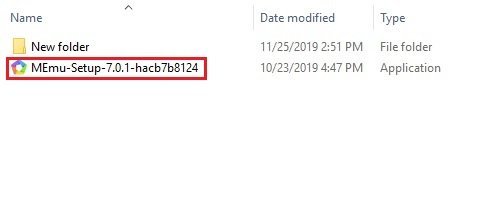
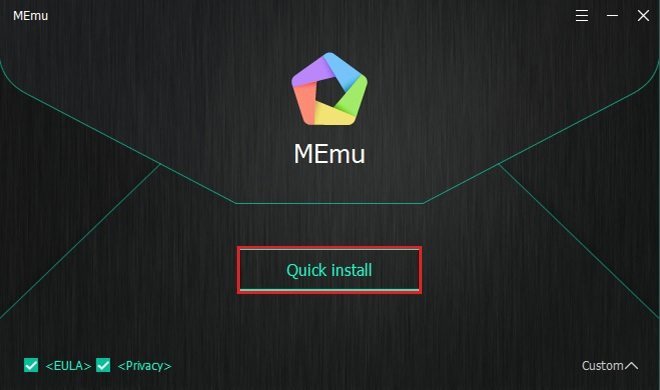
- A Memu Play window will open. Click on the Quick Install button and the process will begin.
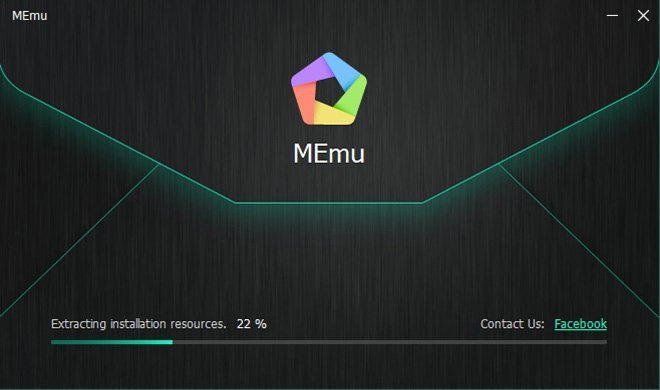
- You will need to wait for about 10 minutes (depending on the performance of your PC) for the program to be installed.
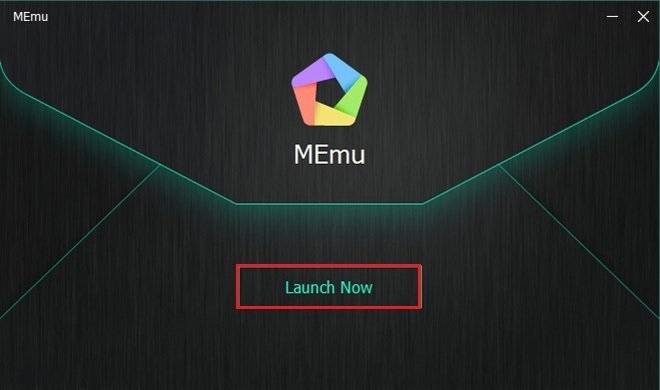
- When the window below appears, that means the process is done. Click on the "Launch Now" button to start Memu Play right away.
- You then need to log in to your Google Play account to start download apps and use them.
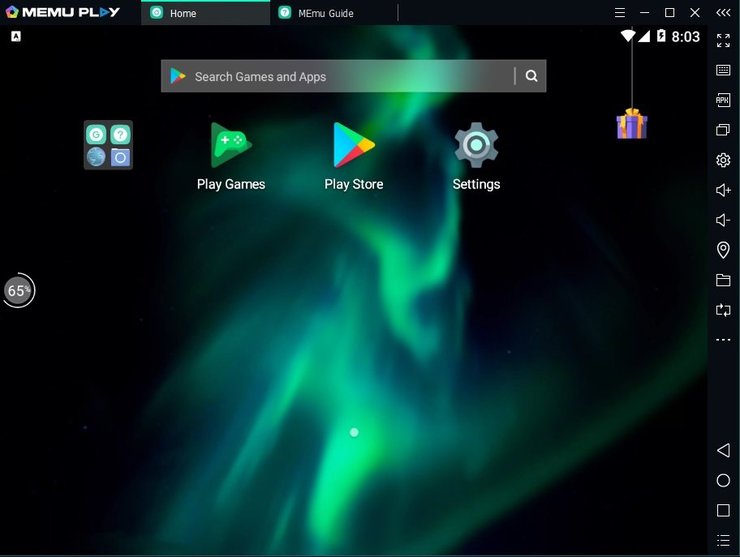
- Just click on the PlayStore icon, enter your Gmail and password to log in. You can also use the Syn feature to download all the apps on your Google Play account automatically.
-
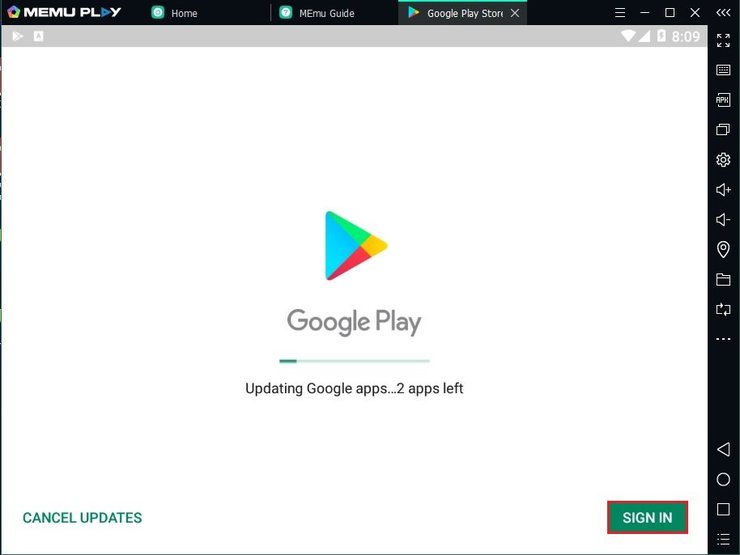
Download and play Free Fire on Memu Play
Here, we will guide you step by step on how to download and play Free Fire on Memu Play:
- Free Fire is free and is available worldwide so you can find it easily on Google Play with the search bar. (If you want to use a different version of Free Fire, you can get the APK file of that version and drag it into MEmu Play to run it.)
- Just press the Download button and wait for Free Fire to be downloaded and installed.
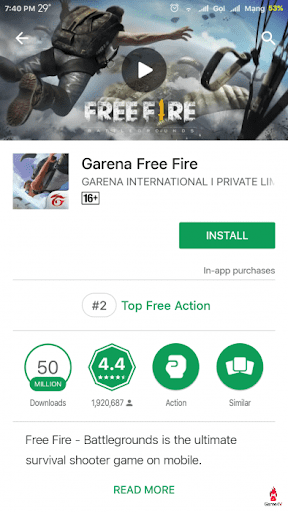
- Now open Free Fire and you can log in to the game using Facebook, Google, VK account, or Guest account.
- Also check out: How To Download Free Fire In PC Without Emulator In November 2020
- LINK : https://www.youtube.com/watch?v=iqG2CpBMEo0&t=1s
-
Comments
Post a Comment